Weather & Time Sync
€18.00 incl. VAT — Instant delivery to your Cfx.re account.
🌦️ SYNC CUSTOM — Synchronized weather, time & blackout
Watch the presentation video
All players see the same weather and the same time, and your admins control them from a modern panel in one click. Easy to install, server-side secure, and designed to replace vSync and aging weather scripts.
✅ Standalone · ESX · QBCore — no mandatory dependency.
🖥️ ADMIN PANEL
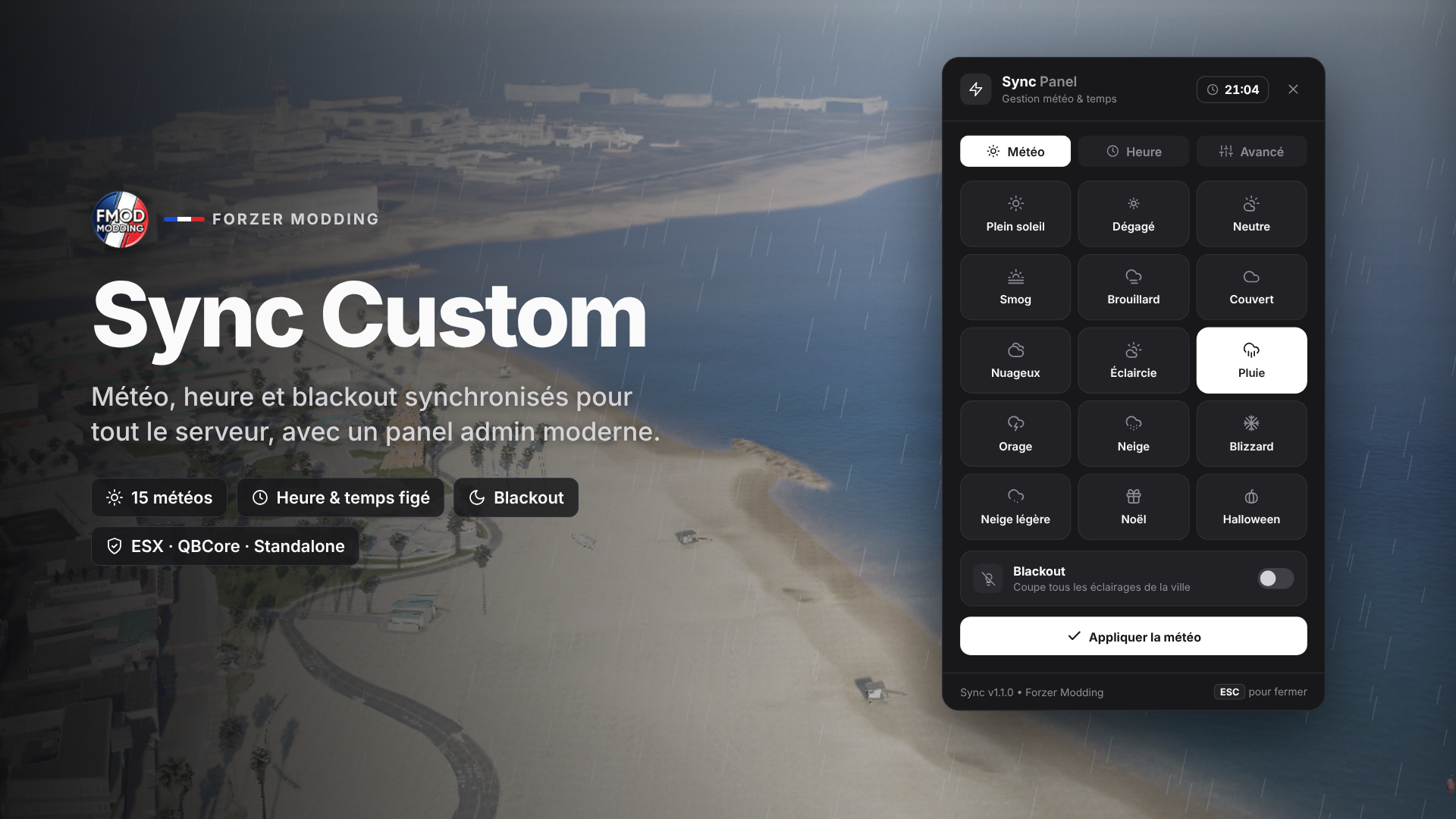
- Clean interface with 3 tabs: Weather, Time and Advanced.
- The panel opens on the current server state: nothing is changed by mistake.
- Live game clock in the header, in blue when time is frozen.
- Position at the center, right or left, and automatic adaptation to small screens (720p).
- Keyboard shortcuts: Enter to apply, Escape to close.
- /weather and /time commands, renamable in the config.
🌦️ WEATHER
- 15 weather types as tiles: clear skies, sunny, neutral, smog, fog, overcast, clouds, clearing, rain, thunderstorm, snow, blizzard, light snow, Christmas and Halloween.
- Smooth transitions between two weather types, with adjustable duration.
- Footprint and tire tracks in the snow with the Christmas weather.
- Blackout mode: turns off all city lights, with an option to keep vehicle headlights on.
🕐 TIME
- Setting down to the minute and 8 quick moments (dawn, morning, noon, afternoon, evening, night, midnight, deep night).
- Option to freeze time.
- Configurable day/night cycle speed.
🔄 AUTOMATIC
- Dynamic weather: the weather changes on its own at the interval of your choice, enabled from the panel.
- Seasonal weather: during chosen months (e.g. snow and Christmas in December), dynamic weather draws from a dedicated list.
- Automatic saving: weather, time, blackout and dynamic weather are kept after a restart.
🔒 PERMISSIONS & SECURITY
- Works right away with FiveM admins (basic ACE permission).
- Access possible via a dedicated ACE, a license list, or automatically detected ESX / QBCore groups.
- All actions are verified server-side, with anti-spam.
- If a player is denied, the console shows their license and the line to add.
🛠️ ADMINISTRATION
- fsync command for the server console, txAdmin and in-game admins: weather, time, freeze, blackout, dynamic, status.
- Discord logs via webhook: who changed what, and when.
- GTA notifications by default, or connected to your system (ox_lib, okokNotify…).
👨💻 DEVELOPERS
- Server exports: SetWeather, GetWeather, GetWeatherTypes, SetTime, GetTime, FreezeTime, IsTimeFrozen, SetBlackout, GetBlackout, SetDynamicWeather, IsDynamicWeather.
- Client exports: GetWeather, GetTime, IsBlackout, IsTimeFrozen.
- French and English included, add your language by copying a block.
📦 INSTALLATION
- Place the cfx_fmodding_sync_custom folder in resources.
- Remove your other weather/time scripts (vSync, qb-weathersync, etc.).
- Add « ensure cfx_fmodding_sync_custom » to your server.cfg.
- You're ready: your admins open the panel with /weather or /time.
⚙️ Editable files: config.lua, config_server.lua and locales.lua.